

What is CRM Setup & Automation?
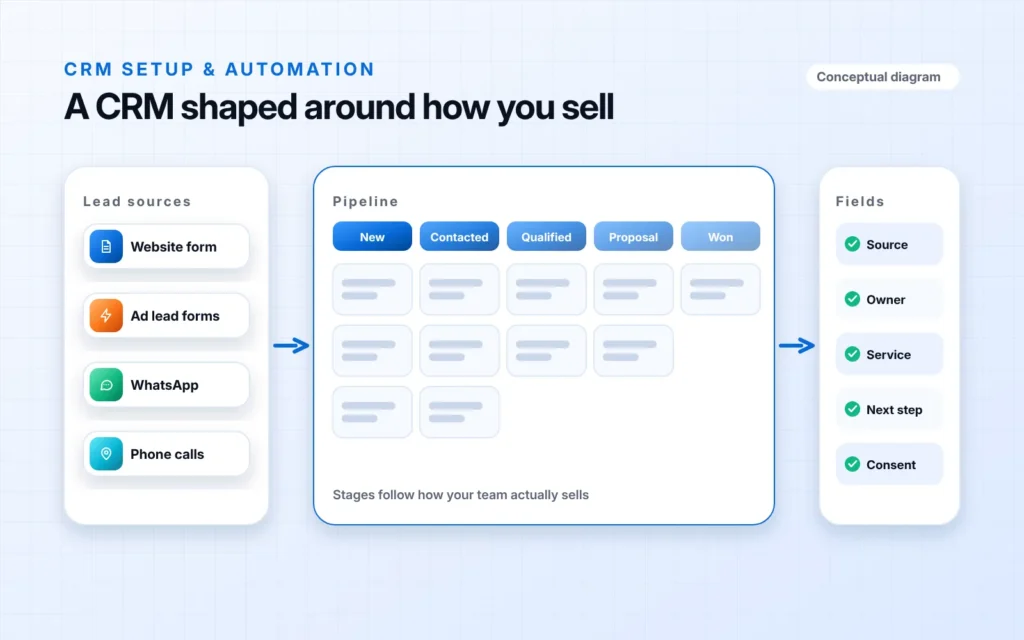
A CRM is the system where every lead, contact and deal is recorded and moved through your sales process. Set up well, it shows who enquired, where each deal stands, who owns the next step and what happens when a lead goes quiet.
Most CRM problems are setup problems: too many fields, stages nobody agrees on, duplicate contacts and leads that arrive from forms or ads but never reach the system. We start from your sales process, configure the CRM to match it, import your existing data cleanly and add automation for the repetitive work.
At a glance
- Best forTeams outgrowing spreadsheets and shared inboxes
- TimelineDepends on pipelines, users and data to import
- Main deliverableA configured CRM with pipelines, automation and training
- PlatformsHubSpot and other popular CRMs
How our CRM setup
process works.
- 01
Map the process
How leads arrive, who owns them and where deals stall.
- 02
Design the CRM
Pipelines, properties, users and permissions planned.
- 03
Build and import
CRM configured and existing contacts cleaned and imported.
- 04
Connect and automate
Forms, ads, WhatsApp and email linked, with tasks and alerts.
- 05
Train and refine
Team walkthrough, then adjustments after real use.
Your CRM setup, fully covered.
- Sales process workshop
- Pipeline and deal stage design
- Custom properties and required fields
- Contact and company data import
- Lead source and form connections
- Task, owner and notification automation
- User roles and permissions
- Pipeline and activity dashboards
- Team training and documentation
Tools we use
CRM Setup & Automation
questions.
We often work with HubSpot and can set up or improve other popular CRMs. We recommend one based on your team size, sales process and budget, and we explain the trade-offs before you commit.
Yes. We clean, map and import your existing contacts and companies, remove obvious duplicates and agree which fields to keep.
Yes. We connect website forms, lead ads and WhatsApp so each enquiry is created in the CRM with its source recorded.
Yes. We run a walkthrough for your users and leave short written guidance so new team members can get started.
Not necessarily. We configure the CRM around your current process and suggest improvements only where a stage or handover is clearly causing lost leads.
Free CRM consultation