

What is Marketing Automation?
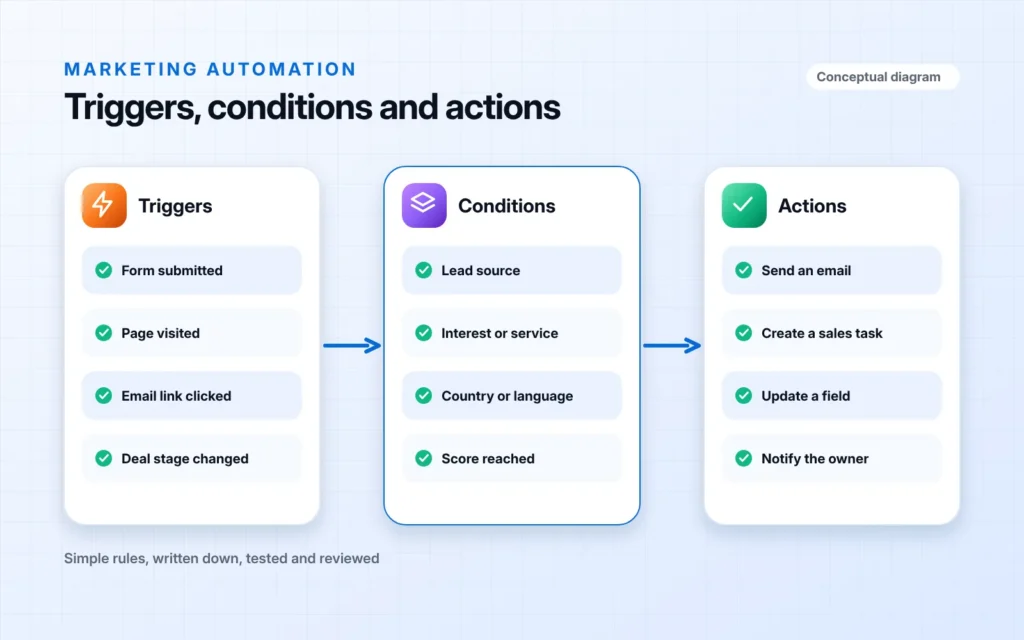
Marketing automation uses software to run repeatable tasks: replying to a new enquiry, sending the next email in a sequence, tagging a contact by interest, scoring engagement and creating a task for sales when a lead is ready.
Automation only helps when the logic is right. We map the journey first, decide what should trigger each action, keep messages relevant and build in limits so contacts are not over-messaged. Everything is documented so your team can see and change how it works.
At a glance
- Best forTeams with enough leads that manual follow-up is slipping
- ScopeAgreed set of workflows, built and tested
- Main deliverableLive workflows with scoring, segmentation and documentation
- PlatformsHubSpot and compatible tools
How our automation
process works.
- 01
Map
Journeys, triggers and handover points defined.
- 02
Design
Workflows, scoring and segments planned on paper first.
- 03
Build
Workflows, emails and rules configured.
- 04
Test
Every path tested with sample contacts before launch.
- 05
Monitor
Performance reviewed and workflows refined.
Your automation, fully covered.
- Customer journey mapping
- Workflow design documents
- Lead capture and instant responses
- Lead scoring model
- Segmentation and list rules
- Email and task automation
- Sales alerts and handover rules
- Testing with sample contacts
- Workflow documentation and training
Tools we use
Marketing Automation
questions.
Marketing automation uses software to send the right message at the right time without manual work, such as instant replies to new leads, follow-up emails and reminders for your sales team.
Automation works best with a CRM so contact data and activity live in one place. If you do not have one, we can set it up as part of the project.
Not if it is designed well. We write messages in your voice, segment so they are relevant and keep a clear route to a real person.
Yes. We document every workflow and train your team so you can adjust messages and rules yourselves.
We set enrolment rules, suppression lists and frequency limits so overlapping workflows do not message the same person repeatedly.
Free automation review